


Submissions
Every time a customer submits a form, the submission is stored in IPS – Contact Form to Any API. You can view these entries from the Submissions section, even when the form is not connected to an external API.
This gives you a central place to review the information submitted through your forms and export the collected data when needed.
Access your form submissions
- From your Shopify admin, open IPS – Contact Form to Any API.
- Go to Submissions from the app’s sidebar.
- You’ll see a list of submissions received across your forms.
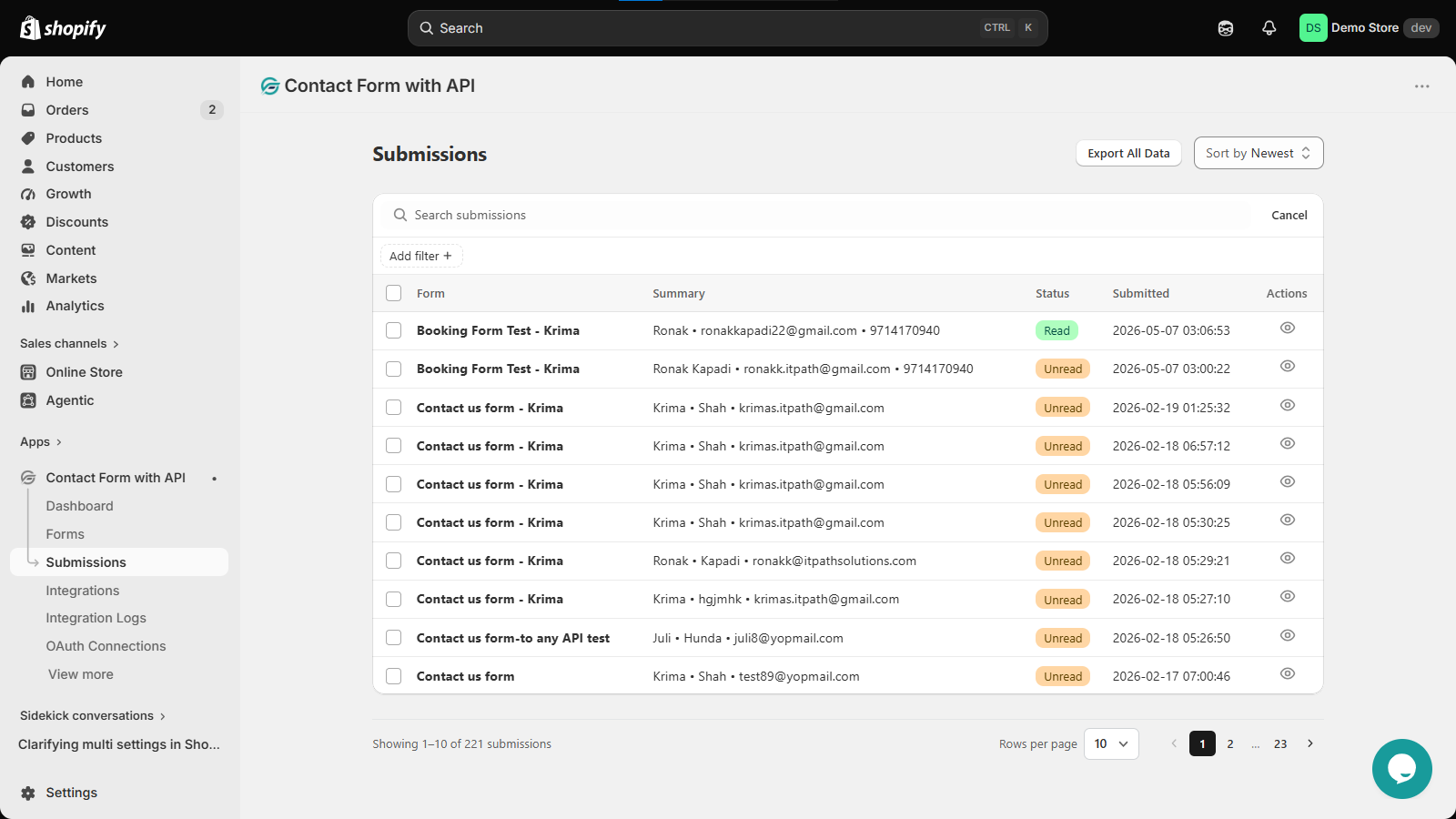
The submissions list shows key details such as the form name, submission summary, status, and submission date and time.
Review a submission
Each submission includes an eye icon under the Actions column. Click it to open and view the submitted details.
You can also use the available controls to find specific submissions:
- Search and filter submissions from the top-right of the submissions table.
- Sort submissions by newest or oldest.
- Check the Read or Unread status to keep track of submissions you have reviewed.
Export submission data
You can export your collected submission data directly from the Submissions page.
Click Export All Data to export the submissions stored in the app. This can be useful when you need to review the data outside Shopify or keep a copy of your collected entries.
Submissions without API integration
You don’t need to connect a form to an external API to store submissions. Form submissions are saved in the app even when no API integration is configured.
This means you can start collecting submissions first and connect your preferred CRM or other external platform later without losing the data already collected.
Keep Track of Your Form Submissions
The Submissions section gives you a central place to keep track of the data collected through your forms. You can review individual entries, monitor their status, export submission data, and troubleshoot API-related issues through the integration logs.
Since submissions are stored even without an API integration, you can start collecting form data right away and connect an external platform whenever you’re ready.